Open Channels FM introduces Channel 4, a new podcast platform for diverse discussions, fostering creativity and authenticity beyond existing categories.
WordCamp Central: WordPress Campus Connect Jinja 2025 Recap: Piloting Africa’s First and Largest Campus Connect Program Across 12 Campuses in Eastern Uganda
Bringing WordPress and Web Design Skills to Over 1,200 Students Across Eastern Uganda

Summary
Over a five-month period (with a two-month holiday/national elections break) the WordPress Jinja community successfully piloted Africa’s first and largest WordPress Campus Connect program, reaching 12 schools and institutions across Eastern Uganda. Through hands-on workshops, mobile ICT labs, and student-led digital clubs, the initiative introduced 1,293 students and 81 educators to WordPress, open source, and practical digital skills. Designed to bring technology education directly into classrooms where opportunities are often limited, the program empowers young people to explore digital careers, build online portfolios, and connect with the global WordPress community. Despite a two-month holiday and national election break, along with national exams and national teacher strikes, the first edition of Campus Connect Jinja demonstrated how open-source learning and imparting of WordPress and web design skills can grow sustainable student communities and inspire the next generation of digital creators.
Why Campus Connect?
While WordCamps and meetups often bring together developers, designers, and professionals already working in technology, Campus Connect focuses on students who are just beginning their digital journeys. It creates opportunities for young people to encounter WordPress early, discover what open source means, and begin building skills that can shape their future.
The launch of Campus Connect in Jinja builds on years of student-centered initiatives already taking place within the local WordPress community. From free web design hackathons for students to youth-focused workshops held alongside WordCamps, our local organizers have steadily worked to make technology education more accessible.
Campus Connect represents the next step in that journey: a structured outreach program that connects schools directly with the global WordPress ecosystem while cultivating the next generation of open-source contributors.

Background
When our WordPress Jinja community concluded WordCamp Jinja 2025 (our 4th WordCamp) hosted at Jinja Senior Secondary School, one moment stood out clearly: the enthusiasm of the students who had attended and participated actively. Their curiosity about WordPress, web publishing, and open-source technology revealed a powerful opportunity. What we had witnessed should not remain a one-time experience. From that realization, the idea of bringing the WordPress Campus Connect initiative to Jinja was born.
Campus Connect is designed to bring WordPress directly into classrooms and learning spaces where opportunities in technology are often limited. The program focuses on introducing students to open source while equipping them with practical digital skills that can shape their future careers.
Through the initiative, the WordPress Jinja community set out to:
- Introduce WordPress in classrooms where opportunities in technology are often limited
- Empower young people with hands-on digital skills that prepare them for careers
- Build sustainable student-led communities through clubs and ongoing activities
- Connect local talent with global contributors, creating new opportunities for mentorship and collaboration
By meeting students where they are on their campuses and within their schools, Campus Connect ensures that WordPress communities will continue to grow long after the first workshops are completed.
However, the vision quickly revealed a significant challenge. Many schools in and around Jinja lack access to functioning computer laboratories or digital infrastructure. Without computers, students would have little chance to explore WordPress, learn web publishing, or participate in the open-source ecosystem.
Determined not to leave anyone behind, the WordPress Jinja community partnered with local ecosystem partners that could provide mobile ICT laboratories and laptops. With these resources, the community launched a five-month outreach program that brought WordPress training directly to schools across Eastern Uganda both with in-house labs and our mobile ICT labs from partners.
By the end of the program, more than 1,200 students and educators across twelve institutions had participated, including schools serving learners with disabilities.
The Jinja Campus Connect Model
Each Campus Connect visit followed a structured learning model designed to combine technical training, digital literacy, and career exploration.
All sessions included:
- Introduction to WordPress and the open-source ecosystem
- Hands-on website creation and content publishing
- Digital storytelling and blogging
- Responsible digital citizenship and online safety
- Career pathways including freelancing, entrepreneurship, and digital work
Every visit concluded with the formation of a Student-Led WordPress and Digital Skills Club within the host institution.
These clubs serve as satellite communities connected to the WordPress Jinja Meetup, ensuring that the learning continues long after the workshops end. Over time, the clubs will become fully integrated within their schools according to institutional guidelines and eventually organize their own student-led WordPress activities.
Through these clubs, Campus Connect plants the seeds of sustainable local communities that can continue learning, collaborating, and contributing to open source.
Our Journey of Impact: Campus by Campus Highlights
1. Macedonian Vocational Institute


At Macedonian Vocational Institute, the session centered on the practical value of WordPress for vocational and entrepreneurial careers. Students explored how websites and online portfolios can help artisans, technicians, and young professionals present their skills, attract clients, and grow their businesses. Through hands-on demonstrations, participants were introduced to web design, content creation, and the basics of WordPress development, while also learning how open-source tools can create opportunities beyond the classroom. A student WordPress club was further strengthened during the visit to support continued practice and portfolio building.
2. Jinja Senior Secondary School


Jinja Senior Secondary School, which hosts more than 5,000 students, served as the launch point for the Campus Connect outreach program. Across two engagement sessions, an introductory session and a deeper hands-on session, students were introduced to WordPress fundamentals, website creation, blogging, and the wider culture of open-source collaboration. They explored web design, digital storytelling, and creative publishing while also gaining exposure to WordPress development concepts. The visit concluded with the establishment of a student WordPress satellite community that will eventually become a student club, led by student coordinators from the school leadership and Science and ICT Club, who will guide blogging activities and peer learning within the school community.
3. Mpumudde High School (Horizon Campus) Jinja


The Campus Connect session at Mpumudde High School focused strongly on digital storytelling and youth expression. Students examined how WordPress can be used to publish ideas, document school activities, and amplify student voices in meaningful ways. Alongside practical work in creating blog posts and structuring pages, participants were introduced to the basics of website creation and open-source participation. The session encouraged students to see digital platforms not only as technical tools, but also as spaces for creativity, identity, and shared learning. A student club was formed to carry this momentum forward.
4. Gloryland Christian College, Jinja


Students at Gloryland Christian College engaged in a session that combined technical learning with conversations about responsible digital participation. Alongside hands-on website creation, they explored blogging, online publishing, and the importance of credibility, ethics, and thoughtful communication in digital spaces. The training introduced students to the possibilities of WordPress while also encouraging them to think critically about how content is created and shared. The visit concluded with the formation of a student WordPress club to guide continued learning and practice.
5. Royal Secondary School, Buwenge


At Royal Secondary School, the workshop emphasized the role of WordPress in school communication and community storytelling. Students explored how websites can be used to highlight school initiatives, student clubs, and local projects while learning the foundations of web publishing and site structure. The session connected digital skills with the power of sharing local experiences and preserving community narratives online. By the end of the visit, students had begun to see WordPress as a practical tool for both expression and visibility, and a student WordPress club was established to continue the work.
6. Jinja Tech Hub


The engagement at Jinja Tech Hub leaned into entrepreneurship, freelancing, and digital innovation. Participants explored how WordPress can be used to create business websites, showcase services, and build strong professional portfolios. The session also introduced broader ideas around WordPress development, site structure, and the value of open-source skills in the digital economy. For many participants, the training connected technical knowledge with real pathways into work, enterprise, and self-employment.
7. Busoga Light College, Jinja


Busoga Light College hosted an extended Campus Connect engagement that allowed students to move beyond introduction into deeper exploration. Participants learned how to organize content, build digital portfolios, and manage simple websites while strengthening their understanding of WordPress as both a technical and creative platform. Teachers took an active part in the sessions, reinforcing the school’s support for digital skills development. A follow-up visit in January created space for mentorship and helped the newly established WordPress club continue applying the skills students had begun to develop.
Phase Two
After the holiday and national election break, the Campus Connect initiative resumed in February 2026, following a national mandate from the Government of Uganda for schools to re-open on 10th February due to elections in January. This second phase extended the program’s reach to additional institutions across Eastern Uganda and brought the WordPress learning experience to even more students.
8. Nsuube SDA Secondary School


At Nsuube SDA Secondary School, students were introduced to WordPress as both an educational and creative platform. The session highlighted how blogging, digital storytelling, and personal portfolios can support academic work while also helping students share their ideas with wider audiences. Through practical demonstrations, participants learned the basics of website creation and content publishing in ways that connected directly to school projects and self-expression. The visit concluded with the formation of a student club that will continue practicing and building on these foundations.
9. Kaliro High School


Kaliro High School recorded one of the largest turnouts during the second phase of the program. Students showed strong enthusiasm for blogging and digital storytelling, especially around the idea of sharing school activities, community experiences, and student perspectives online. The workshop combined practical page-building exercises with broader discussions about digital literacy and the growing importance of online communication in education and everyday life. A student club was established to support continued collaboration and peer learning after the visit.
10. Jinja North Secondary School (Butembe Heritage Campus)


At Jinja North Secondary School, the sessions focused on hands-on website creation and the wider opportunities that digital skills can unlock. Students explored how WordPress knowledge can connect to freelancing, online services, and entrepreneurship, while teachers participated actively in discussions about integrating digital learning into the school environment. The training positioned WordPress not just as a publishing tool, but as a gateway to practical and marketable skills. A student WordPress club was formed to sustain interest and continued engagement.
11. H.E.L.P International Vocational Institute, Jinja


At H.E.L.P International Vocational Institute, the training highlighted WordPress as a professional tool for vocational graduates and young entrepreneurs. Students explored how websites can be used to present technical skills, market services, and create portfolios that speak to real-world opportunities. The session blended practical exercises with discussions about visibility, client outreach, and digital professionalism, helping participants connect their vocational training with the demands of an increasingly online economy.
12. C.H.I.M.E Secondary School and Vocational Institute


The final Campus Connect engagement took place at C.H.I.M.E Secondary School and Vocational Institute, where students explored WordPress as a bridge between academic learning and vocational development. The session covered blogging, portfolio creation, and communication platforms that can support both school-based and practical career pathways. It also emphasized collaboration, creativity, and digital presence as essential skills for young people preparing for the modern world. A student WordPress club was established to carry the program forward within the school.
A Synergy of Local Community Efforts:
Lessons and Reflections
Like many long term community-driven initiatives in Africa, the Campus Connect program encountered several logistical challenges.
- Nationwide teachers’ strikes in 2025 disrupted school schedules
- National examination periods and elections
- School timetable changes were sometimes communicated late
- Photography volunteers, mostly university students experienced delays in compiling and editing event documentation
Despite these challenges, the initiative continued successfully thanks to the dedication of community volunteers and partners.
Acknowledgement and Appreciation
The success of our Campus Connect event series reflects the strength of collaboration within both the local and global WordPress ecosystems. We extend our gratitude to the Global WordPress Campus Connect sponsors, whose continued support for open source and education makes initiatives like this possible.
We also thank the local ecosystem partners in Jinja who have continuously worked with our WordPress Jinja Community and whose non-financial support and collaboration enabled the program to reach students across Eastern Uganda; Rotary Club of Jinja City, Hello World Africa, Xerus, World Educare Network for mobilizing schools through their partner networks, Tech Reach Africa for providing a mobile ICT laboratory, GDG Cloud Jinja and other local technology communities for technical expertise and mentorship, Community volunteers, educators, and school administrators.
Because of this collective effort, students who might otherwise have been excluded from digital opportunities gained access to tools, knowledge, and skills that many around the world now consider a fundamental part of modern education.
By meeting students where they are within their schools and communities Campus Connect ensures that the WordPress ecosystem continues to grow, inspiring the next generation of creators, innovators, and open-source contributors.
The Road Ahead: What’s Next
Following the successful and massive pilot of Campus Connect Jinja, we will focus on increasing sustainability, formalizing and onboarding the student communities/clubs that were formed and expanding the regional WordPress ecosystem. With more than 1,200 students and about 100 educators introduced to WordPress and open source, the goal now is to continue the momentum and build long-term learning pathways for students and educators and create bridges between them and the general local WordPress community and opportunities.
Supporting and Formalizing Active Student WordPress Clubs
The student WordPress and digital skills clubs established during the Campus Connect visits will now be gradually fomalized and onboarded according to the by-laws within their respective schools as well as onboarded officially through the Student Club program with their student leaders to be able to optionally organize their own events. For now, these clubs each with their own leadership and faculty support will act as satellite communities of the WordPress Jinja Meetup, supporting continued learning, student-led workshops, blogging initiatives, and participation in the wider WordPress ecosystem.
Upcoming Jinja events
The next major event for the Jinja community will be WordCamp Jinja 2026 tentatively happening in September 2026 led by Joan Namunina, co-organizer from our WordPress Jinja Meetup, where many of the students, educators, and partners involved in Campus Connect are expected to reconnect, share their experiences and continue building the future of open source in Eastern Uganda.
Open Channels FM: Building Trust at Scale and Navigating Agency Challenges in the Age of AI
In this episode, Adam and Marc discuss agency challenges in digital marketing, focusing on AI’s impact, client expectations, and the importance of communication and efficiency in managing multiple websites.
WPTavern: #209 – Simon Pollard on Navigating the New Normal for WordPress Community and Events
[00:00:19] Nathan Wrigley: Welcome to the Jukebox Podcast from WP Tavern. My name is Nathan Wrigley.
Jukebox is a podcast which is dedicated to all things WordPress. The people, the events, the plugins, the blocks, the themes, and in this case, trying to navigate the new normal for WordPress community and events.
If you’d like to subscribe to the podcast, you can do that by searching for WP Tavern in your podcast player of choice. Or by going to wptavern.com/feed/podcast, and you can copy that URL into most podcast players.
If you have a topic that you’d like us to feature on the podcast, I’m keen to hear from you and hopefully get you or your idea featured on the show. Head to wptavern.com/contact/jukebox and use the form there.
So on the podcast today we have Simon Pollard.
Simon has been building with WordPress for many years. Originally from Devon in England, he’s worked as a professional web developer across locations, eventually landing at Illustrate Digital, where he’s been for six years.
Simon’s not just a coder. He’s been deeply involved in the WordPress community, not only organising, but helping to grow the Bristol WordPress Meetup from a casual get together in a pub, to a thriving, officially backed event with dozens of regular attendees.
Like many in the WordPress ecosystem, Simon wears multiple hats. He’s a musician, a devoted dad, and an accidental community leader who found himself at the heart of local WordPress organising. But COVID-19 changed all that.
In today’s episode, Simon explains what happened to WordPress Meetups during and after the pandemic. How vibrant communities fizzled out. How hard it was to bring people back. And the new challenges of connecting when traditional social media platforms no longer bring everyone together.
Simon talks about his own journey, how he paused on events, shifted his social life to music, and struggled to hand the Meetup keys to new organisers. Eventually, a call from an old friend drew him back and he was faced with the new reality. Smaller groups, fractured channels, and the question of how to keep the in-person spirit of WordPress alive.
We get into the irreplaceable value of real life connection, the warmth in the room, and the need to rethink what gets people to in-person events now. Is it hybrid events? Perhaps it’s music? Something beyond pure WordPress talks? We discuss what’s been lost, what still matters, and what it might take to build the new era of WordPress community in a distracted, always connected, world.
If you’re curious about the future of WordPress Meetups, if you felt the ebb and flow of community during the past few years, or if you just want to know how to find your people again, this episode is for you.
If you’re interested in finding out more, you can find all of the links in the show notes by heading to wptavern.com/podcast, where you’ll find all the other episodes as well.
And so without further delay, I bring you. Simon Pollard.
I am joined on the podcast by Simon Pollard. Hello Simon.
[00:03:42] Simon Pollard: Hello Nathan.
[00:03:43] Nathan Wrigley: Very nice to chat. Simon and I have met for the first time, just sort of 10 minutes ago. We’ve had a little bit of a chat. And as is so often the case, Simon has a musical instrument in the background. I don’t know what that is, but there’s definitely a thing there. WordPressers often have musical instruments.
[00:03:57] Simon: There’s more behind me as well. And randomly, I’ll bring in another fact, so I’m in a very casual band of predominantly mid forties internet developing type people. And, yeah, we’re all the same, we all play instruments. And randomly we all, without being connected in any way, can work in the same one building in Bristol, which is co-working in individual offices and we all found out we’re all in the same building. And that wasn’t how we met.
[00:04:21] Nathan Wrigley: I think probably anybody listening to this has figured out by your accent that you’re from the UK. And you mentioned Bristol just there.
[00:04:27] Simon: Well, Brizzle if I’m going to be correct.
[00:04:29] Nathan Wrigley: Right at the top of the podcast, we typically ask the guests to just give us a little potted bio, a moment or two just telling us who you are. And as it’s a WordPress podcast, just give us your background with WordPress, I guess, as well.
[00:04:40] Simon: Yeah, well, I’m from Devon originally, which the English people will pick up on the accent potentially. I try to hide that away, but every now and again a little bit of farmer will come out and it’ll be oh, argh. And then, yeah, so I was born in Devon, moved away into to Cheltenham, been to Cardiff and then ended up in Bristol and worked at various places amongst all of them.
Bristol was where I finally got my kind of proper web job, an actual proper official web job. And the first company I started used WordPress as one of the platforms, and that’s from where I started off my kind of professional career. Moved around a few places since then as developers do, but always kind of staying in the area. And then currently, I am now at Illustrate Digital. Been there for six years, joined at the start of 2020, so that was an interesting progression, we’ll cover that later.
During my time in Bristol, it was someone else who originally raised the idea of a Meetup for of WordPress devs to kind of meet up and have a chat. So myself and a few others met up with this one guy called Henry, and we just met at the pub, sat around a table and had a chat and said, what are you doing? What do you need help with? What would we like to talk about?
And it kind of progressed from being, so we had a few more kind of casual chats, managed to grow. I think there was about six of us met originally and we kind of grew a bit and then said, oh, should we try doing like talks and making it a bit more official? So we progressed onto that. Struggled to find speakers, which I think is the story of absolutely every Meetup is find someone to talk. So I ended up doing a lot of talks myself, which I didn’t mind, but there was only so many times I can involve cats and WordPress together in the same thing.
And then it grew a bit. The key point for me is we took on someone who was a project manager by trade, who was also a developer. And they created a Trello board, and then suddenly we got organised. And I don’t know how, we kind of reached out, I remember now as I’ve just literally spoken to Jenny Wong who works over at Human Made, and she was assisting and she said, you know, is there anything I can do?
And she came over, I was working in Bath at the time. So she came over in person, back in the day when you met in person. Came over to Bath and we sat down and had a coffee and a chat, and she gave me all the tips and advice she could to kind of help build the Meetup and get it bigger and try and get things working.
She also helped us get official backing. So we got the WordPress official backing for the Meetup, which is brilliant because that gave us funds. That allowed us to start hiring venues which is brilliant. So all the worry of paying for kind of costs or anything for the venues got covered by WordPress. We still reached out for sponsors, and the sponsors gave us money for food. Food is obviously a good tool to get people in as well.
It just kind of grew. And I’m not sure what made it grow or how it grew, but it just kind of fed through. But this was back in the day when social media was less run by maniacs and you were happy to post on Twitter and Facebook and it kind of grew from that. I already had quite a good Twitter following, so I just kind of shouted there all the time and tried to pull in everybody and anyone who isn’t at all connected to the internet.
We went to Facebook, I got a friend of mine, was a bit of a social media guy, he set us up several kind of media accounts and added his advice. And then, yeah, just kind of moved on, and we were getting in a good crowd. Towards the end of 2019 into 2020 we were getting say 30, 40 people coming along to the Meetup, which is really impressive.
So we’d fill out a room, we’d get catering in, that would all get done. We had an account, we were that kind of organised, so we had an actual bank account to put our sponsorship money in. We were in profit at one point. So it was crazy. It was just going, yeah, going really well. Lovely kind of gathering, it was just a nice thing. We ran monthly. The organising team grew to about six or seven of us, because there was so much to do. So there’s plenty of us involved.
And yeah, it was going great, all going along lovely. 2020 came about and then suddenly COVID, and that was it. It kind of stopped because it had to, and none of us had the appetite to do the video side of things. We didn’t really have the technology, or the means, and it was just too much with everything else that was going on in the world. So it kind of petered out, and as did my involvement in the community, as much as in person involvement kind of faded out.
And I looked back and, yeah, the last meetup that I attended was in 2020, before just the other week when I’ve gone back, but like the last one was 2020 was the last, looking at my logs, the last Meetup I attended in person, which is quite sad to look back. But this all changed around. I’ve gone very off topic of what I actually do. I think I just went into this hole.
[00:08:49] Nathan Wrigley: Oh, no, it’s great because obviously what the listener doesn’t know is that you and I already know this is what we’re destined to talk about. So you’ve given us the full introduction. So I’ll just take over for a minute, if that’s all right? Because that’s really the case, I think you could map that across all of the WordPress Meetups within the UK.
So prior to COVID, things seemed to be going great guns. There were lots and lots happening. I don’t know the exact number, but there were many. I could pluck out of the air several, and probably, if you combined all of the numbers of those, it was hundreds of people, you know, getting out of their house, going to an event, sharing expertise but also, like you said, the social side of things.
And then this moment in time, this kind of sword of Damocles, if you like, suddenly that we didn’t know was there, dropped. Killed the whole thing overnight for good reason. You know, there was a really legitimate reason for everybody to stop moving around. But it seemed to have changed something for good.
Now what’s curious about that is I remember being in that COVID time, and I remember being utterly fed up and bored, and praying for the time when things would just return back to normal. And with great speed, actually, with the benefit of hindsight, looking back, that almost seems like I watched a COVID TV program. You know, it seems like, obviously I know it was real to me, but it all seems so in the rear view mirror now. It was almost like it was part of a fictional book or something like that.
But I fully expected that the minute all of the guards, and the protections, and the legislation came away, that I would just drop back into everything that I’d done before. And so for me, that’s what happened. I went immediately back to everything, you know, attending events, and all the other different things that I do in my own spare time that have got nothing to do with WordPress.
But the curious thing is, for me at least anyway, is that I appear to be different. You know, you’ve just gone back, within the last few weeks or so. What changed for you? Have you had the time to be introspective and think to yourself, why, Simon, did I not just resume what I was doing before?
[00:10:59] Simon: Yeah. So I mean it’s twofold for me. Yeah, I’ve been very reflective over the last kind of few weeks on this because I’m just reaching out again and seeing people. It’s like, I’ve not seen you in six years and it’s kind of crazy. Well I mean I spoke to them online and responded to comments here and there but, yeah, for me it was twofold.
So during the COVID times I was fortunate enough to have a baby, which changes everything again anyway. And that just became my focus. So whilst working full time and also having a child, that was my focus. The evenings, when I used to have the time to go to the Meetups and everything, in the evening, if I had any spare time, I would just prefer to sit. I didn’t want to do anything else. I didn’t have any energy. I was spent. I was enjoying a glorious moment of sitting, and if I was lucky watching a bit of TV. Yeah, it took it all out of me.
So I’ve put things on pause in that sense. I wasn’t really doing anything. Yeah, as you’ve mentioned the guitars and everything, used to go to gigs a lot as well, but that kind of went on hold. The music side ironically kicked off after. So that’s something that did come in first. So whilst I didn’t go to Meetups, some other people, when things got back reached out to me and said, oh, I’m running a band, do you fancy joining that? So that became my kind of social outlet instead. So my focus went on that, and playing in a band and just meeting up with them. So that was my social interaction.
Ironically, that was someone I knew through, not through Meetups but through events they used to run, I think it was Future of Web Design, or future of, one of those that was down in London. A lady called Michelle, who also has a child, used to live behind me, back in the day in Bristol. She’s moved away. And then she just dropped a message on one of the other social platforms, which I’ll go back to, and just said, oh, do you fancy joining a band, I do drums? I didn’t even know she played drums. Like, she’d been playing drums since kind of school and it just came out.
So that was my social outlet for a while. So I was doing that, and that was good because that was like once a month or so we’d just meet up and have a few hours. My wife could look after my little girl. And so that was my focus for a while and that kind of kept me content for a while moving forward. But I think, yeah, I lost the kind of the urge or the will. I didn’t really have the capacity to run the Meetup that I used to be involved with.
And there were a couple of failed attempts to hand it over. Several people came in and said, oh, I’d like to have a go at running that. So it’s brilliant. So I kind of was like, here’s the keys, off you go. Even still had the Trello board and everything that we had.
And one tried and failed. I think another one did and I just kind of left it. So I assumed nothing really was happening on that. Until recently, it was last year I believe when some of the original team, a lady called Janice who was there at the very first pub round table with me, I think we’ve been to every Meetup ever since. She moved into retirement because she was a web developer and was like, don’t want to stop doing things. And she liked the community and she thought, right, well, if no one’s going to get this up again, I’ll do it again. And she was in the team at the end as well, so she’s already had the experience. She pulled together some of the others of the team. So still another couple of people, Michael and Rob who used to kind of be managing as well, they’re back in it as well and they started bringing it back to life.
And so I kind of saw this last year, the Meetups kind of started filtering through. And because I’m still connected to a lot of these people I found out, trying to remember how it came, it might, would’ve been something like LinkedIn or somewhere, or even emailed and that kind of came through. And it was like, oh, I need to go along to that one time, I really need to go along. And even one of my friends was talking, I was like, brilliant, I’ll go and see him, I’ve not seen him in ages. And then I had an operation that put me out of action for a while.
So that came in, so even when I was just about ready to go. And then finally, turn around to this year and then, yeah, another good friend of mine Ross Wintle, who is a developer, who I think a lot of people hopefully will know, he works doing stuff for ACF in particular, which is why I harass him all the time. But I’ve known him for ages. He was talking, I was like, right, I’ve got to go along because he’s talking. I’ve not seen him in six years, and it’s a great chance to see everyone. And I was so glad I did.
A lot of it, whilst it was smaller, it was still just a lot of the same people. So I think I kind of took in that seeing the people didn’t really appreciate the size but still it was kind of nice. It still felt the same. It was still the nice, friendly atmosphere which you get with WordPress. I think you get that across the board. Not just in Meetups, but devs talk to other devs which you don’t necessarily get in other industries. I would happily tell another dev, for what I would call a rival, inverted commas, company, how to do something if they were stuck, which you wouldn’t necessarily get in other industries.
And that filters through, for me, for the Meetup side. The atmosphere, it’s just very friendly and welcoming. And talking at it is a joy, because you will never get heckled. No one’s going to do that. Unless it’s a friend of yours and they’re teasing you, because you know them.
It’s just such a nice kind of crowd, and that’s where I started doing talks. And I don’t think I would’ve ever done a talk if it wasn’t in front of such a nice crowd and you knew you could kind of do what you wanted. You can make a mistake and no one’s going to pick you up on it. And then a lot of the time they were just interested to hear what you had to say. It was just, yeah, nice.
So I think I’ve already talked myself into doing a talk again. So there’s a good reason to go back. So got to think about that. Yeah, and then I said, well, I used to have a network of people, so how do I reach out to that network of people that I used to do and pull them in? Like, how do I go, right, okay, we are doing all right here but as always, looking for people to talk? So how do I reach out to those people?
And that’s kind of the next point is, the next thing that changed was the social network seemed to almost turn evil in places like Twitter, which used to be a nice go to, and you’d message everyone. Everyone kind of jumped ship because, for good reason. No one seemed to jump ship into the same boat, and everyone was doing their own thing and there was no confined next to step of where you get in touch. And that’s where I’m currently at is, six years down the line, what’s the way to kind of network now on the internet with these people and get in touch with those I may have lost touch with?
[00:16:34] Nathan Wrigley: That’s so interesting. I’m going to unpack a lot of what you said there. I’ve been making my little notes as you’ve been going along, but there’s a few things there.
So the first thing is that it’s curious you, for reasons that you’ve explained very well, you know, the family being the easy one to grasp. You know, you had a very, a different life out the other side of COVID. And so the constraints around that, and the possibilities of socialising were diminished regardless.
I didn’t have that, and so I did sort of just drop back into where I was before. But what’s curious is that clearly isn’t the pattern. You know, we hear about, not just in the WordPress space, but lots of sort of social enterprises, clubs and things that were going on all over this country, kind of lost their way. They couldn’t attract the people back.
So something happened, I think, to us during that period of time. I don’t know if we just became habituated to sitting in more and, you know, more accustomed to watching the telly. I don’t know if they’re ingrained into us somehow, was this fear of the outside world. That’s really overdramatising it, but hopefully you can grasp what I mean. You know, just this idea that outside, bad, inside, good.
[00:17:44] Simon: It was two years of being told to stay inside. And whether of not, that’s going to sink in isn’t? At some point, without even thinking.
[00:17:50] Nathan Wrigley: Yeah. But then it just means that, when eventually the guardrails are pulled off, and obviously they weren’t just pulled off in one fell swoop. It was this sort of slow experimental phase, where you could be with a few people and then more people, and then that all got pulled back again, and then it all began again. Eventually, where we are now is you can do basically everything again. There’s no restrictions whatsoever.
But the community, the WordPress community in particular, I do wonder if we probably went into our screens a bit more than the typical person might do. Because, you know, we’re on our screens doing the work. Six o’clock maybe would’ve rolled by in the year 2018 and we would’ve closed the laptop, shut the computer down, and then done the other things. But then for a period of three or four years, we just carried on, on the screens and met on Zoom, or just carried on watching Netflix or whatever it may be. And then untangling all of that on the other side, proved hard, hard to do.
But then the bit that you just said, I’ve never thought about that. The social media, the shattering of social media where people have decided that this platform over there is not for them anymore. And, okay, I’m going to either discontinue using social media, or go to somewhere else and there really isn’t that, what do they call X? They used to call it the town square or something like that. And that’s a long time since that happened. But there’s now, there’s no replacement for that. There’s no one place you can go to. Everything’s shattered over multiple accounts. There’s no question there, but I don’t know if you wanted to respond to any of that.
[00:19:15] Simon: That’s where I am at the minute was I moved on, I tried different things and that’s randomly how I got the band notification was off one of those. But I can’t even remember now what platform that was. And I think I’ve closed the tab on my browser, and I’ve long since forgotten and not really gone back into it because it was a handful of people. And I spent a lot of time building up my Twitter following, and I just lost the urge to kind of do that all over again. And followed enough people for a while but then kind of lost the interest in that.
And, yeah, I don’t know, it’s weird. It’s just because there isn’t really anywhere that’s taken over that was, I mean Twitter was the key one for me. That was because I managed the account for the Meetup as well. So I could post on their behalf, but I could also kind of tie in and connect myself. I could retweet myself and retweet other people, and you could get those connections in place which is harder to do now.
That was my go-to, and then I don’t really know now, yeah, where to reach out. And even, one of the things raised at the Meetup I went to was, someone asked a question. It was like, well I’m not sure I can answer that for you immediately. We need to kind of sit down in front of a computer or something. But how do we communicate in between this and the next Meetup? How do we talk? What is the way to communicate now, that’s standard? You give out an email address or something that, I don’t know. Is that the way you communicate? I seemed very lost and almost forgotten how to socialise outside of actually being there in person. The in-betweens, which I’ve been doing for years and years, what’s the in-between way of talking?
[00:20:40] Nathan Wrigley: It’s strange that that’s a thing really, isn’t it? But it definitely is a thing. I suppose the piece of the jigsaw puzzle where it fits into this podcast is that if you are new to WordPress and you’ve never been to any of these events, and you’ve recently started going, a bit like you have done again. You go and you look at the event and you’ll think, okay, this is nice. Here’s the collection of people. But if you were to go pre 2019, so 2017, 2018 in particular, you were probably looking at the same event with, I don’t know, five times the number of people, 3, 4, 5, maybe even 10 times the number of people.
And so whatever that period was, whether it was COVID or a variety of other things, the numbers have dropped. And I think, whilst it’s not, I’m using air quotes at the moment, whilst it’s not necessary to have community for an open source CMS software project, certainly helps.
It helps that these people gather. It helps that they gain empathy. They sort of start to understand each other. It helps so that they feel a connection. You know, they’re going to join different teams because, oh, that person’s in that team and I know that person. It helps because it enables you to share knowledge and hopefully, instead of 10 people falling over the same problem, one person does, and shares their experience to the other nine. And yada, yada, yada. On it goes.
And it does trouble me that that component is now missing. It makes me think this isn’t good. And I don’t know what the answer is. I wish I had a magic wand that I could wave and bring it all back. Does it bother you? Do you feel that the community should still be important? Or can we just say, this is now where it is, just accept it. This is what we’ve got.
[00:22:26] Simon: Having dipped my toe back in properly into the community as it were, recently, it’s kind of reminiscing now what it was, and there’s still elements there of what it is and knowing people. It is almost networking. It’s kind of knowing those people, and someone knows someone. There’s a very kind of small world. Those relationships and people I used to speak to a lot that I didn’t so much, and it’s weird why that kind of stopped.
And I think, yeah, it’s definitely the kind of the sharing. And it’s particularly relevant I would say if you are a freelancer or work on your own or you are even part of a smaller team. But the networking helps you kind of expand out, and expand your team without it having to be in the company you’re working for. Because as I previously mentioned, the rare thing in the WordPress community is that a developer can speak to another developer about an issue for say, it might even be for a client, and they will work together to resolve it. Offering back is how it was, and I think it still is in some areas, which you wouldn’t say get in others. And I think that’s the community side of it that’s very different.
And I noticed that with the Meetup because I’ve been to other Meetups. We even did a collaboration Meetup as well. And the other ones I went to, it just didn’t feel the same kind of warmth. It felt very fixed. There was no kind of welcoming.
So the one thing that has always been relevant that the Bristol one, is we’ve got a welcoming team. So as soon as you step through the door there’s someone there. Get a little name badge as well. And if you’re new, they’ll ask a few questions and find out what you do. And what we always do is, oh, what do you do? Oh, I’m in project management. Ah, go and speak to so and so, they’re a project manager. Or, I’m looking for a developer. Or kind of find out what was their reasoning, and then direct them because we knew who was there.
That’s opposed to other ones where you go in and you almost kind of sign in and then you’re left to your own devices, and no one approaches you, and it just felt very kind of awkward. Whereas we would try and engage everybody, and we were lucky with the people who kind of organised it, with people like Janice who’s just a naturally approachable person and she will go out and talk to people. And we had that kind of mixture of people that, it just made it nice, and it was nice to go along. And you would go along for the people as much as you would for the talk itself.
I would go to talks which had absolutely no interest to me on paper, but I go along anyway because I wanted to see everybody. And then I ended up finding out that these talks were actually sometimes even more interesting when I thought they wouldn’t be any relevance to me. And it helps you kind of expand your kind of knowledge, and appreciate other elements, and other factors that you might not know about. Which in person is just a lot better and I think it’s more engaging as well. So you can kind of stare at a screen watching something. It isn’t quite as engaging as it is being in person.
And also, once you finish, it’s the debrief after that I really like. So when the talk is finished and everything’s wrapping up, you can go and speak to the talker and query something with them and go and speak to other people. And you kind of have that little social bit afterwards, and it’s all just nice and relaxed. And you don’t really get that on a video call because you can’t really go and mingle on a video call, because how do you go and talk to someone else. And it isn’t the same in person, it’s just a lot easier to kind of do that.
Yeah, how do you sell that for something that wasn’t there for a few years? It’s twofold. How do you bring in the people who used to come? And how do you introduce people who may have been born into never having that? The younger generation who lived through COVID, and didn’t really have that Meetup experience before it to know that this exists on the other side. And what would make it appeal to different kind of levels, really?
[00:25:43] Nathan Wrigley: So I’m not entirely sure, again, if we could rewind the clock. So this is going much, much further back. Let’s say the year 2003, something like that, when WordPress was really little. I don’t actually know the date of the first Meetup, but let’s imagine it was around there. And nobody had, in the WordPress community had ever thought to meet up.
If that just never had become a thing, I wonder how the project would’ve fared. I wonder if it would have been as successful. Because, you know, there were things like Skype and these platforms were coming along where you could do project management and things like that online. It feels like there was no, there would’ve been no inhibition to it being successful.
But I’m more or less willing to predict that it would not have been successful. I think the glue that binds the project together on some completely unquantifiable level is that community. And a certain proportion of that community in the past required the in-person meeting. You know, whether it be the WordCamp events, where they get on a plane or in a car and drive a long distance for a few days and lots of talks. Or whether it’s the more kind of informal monthly Meetup scenario, where it’s probably closer to home and a little bit quicker and one evening only, something like that.
I just have an intuition that the project wouldn’t have been successful. It was those people, and I think I’ve heard the word maven. Maven being this sort of description of somebody who is like a hyper connector. They’re really good at connecting the dots between people and saying, you should meet this person, and you should meet this person. A little bit how you described.
I think there’s some jigsaw puzzle of that going on. There’s some tapestry of these community members making it successful in a way we’ll never fully unpick. And now that that, in the year, so we’re recording this in March, 2026. Now that that seems to be somewhat in question, it then raises the question of, well, what does that mean for the future of the project as a whole?
My anticipation is that if we were to, let’s say nobody from this moment forward ever attended an event again, I think the project would not be as successful. There would be less development, there would be less interest in it. So I think it’s important that we do get these things back. But again, moving on to your point about how, that’s the tricky piece. You know, has life changed? Is the advent of everything online all the time, you know, so go back 10 years, there was no Netflix. Well, maybe there was, I don’t know. But the point is the entertainment that’s available through everybody’s TV now is so compelling, it’s kind of hard to fight against that.
But I don’t know how we get the young people in. I don’t know what it is about, you know, what the competition is. We’ve obviously got AI painted into the mix, and all of the interesting things going on there. So I don’t really, I’m not really pressing you for the answer.
[00:28:36] Simon: That’s fine. One of the reasons for joining is to kind of ask that question to the people listening and saying, has anyone else got that kind of magical wand and jigsaw missed piece? Has anyone got any ideas to kind of move forward with it? Because I say, I’m going to be looking, moving forward now, what I can do and how I can connect and get back in touch with people that I’ve not spoken to. I’ve already done it with a few people I hadn’t spoken to in a while. It’s like, oh, I’ve not spoken to you, oh, you’ve got a child as well. Oh, lovely. Those things you talk about which you just kind of left.
But yeah, I completely cut short on it and it’s just bizarre. But it is kind of coming back. It’s nice to know that whilst it’s quiet, it’s still there. It hasn’t died out, it’s just a little bit smaller than it was. But like you say, whether it can rebuild to where it was, or even partway to that is the query. I’d hope it can because I think it helps.
And the project itself, as you mentioned, WordPress wouldn’t exist without a community because it’s built by a community. It’s not built by a singular development company, and we wait for them to do it, you get involved. If you want to work with WordPress, you can do. There’s nothing stopping you getting involved. You can get in, you can be involved, you can be a tester, you can be a developer for it. There’s no like barrier to be involved in it, and it needs that community to keep it going. As you said, it wouldn’t probably have progressed to where it is without that community behind it.
And that community is still there in some context, but where are they in terms of, how can I to them and talk to them? Because there’s definitely people I want to reach out to again. And what’s the way to reach people these days? What’s the platform now? What’s the way to reach out to people? Where are people talking? Are they talking anymore? Or is it all just looking at TikTok? This is where I’m going to sound really old. Looking at like TikTok and just looking at short videos of things and that’s where. Or do people still communicate, and how? What’s the way to do that?
[00:30:20] Nathan Wrigley: I get what you’re saying by the way. I am of a certain age and things like, how do you even do TikTok? What even is that? I’m not entirely sure. But again, rewinding the clock, the website was the thing. That was the fulcrum of the internet really. It was, you know, suddenly you had this capacity to publish things online, and in order to do that, certainly prior to Facebook and MySpace and those platforms, you had your blog, you know, that was the way to do it.
You had to go through the process of setting it up. And the process of setting it up would pull back the curtain on, oh, so this is a bunch of files and a thing called a database. Right, okay. And that’s now on my computer, is it? Oh, right. And then that means I can mess up out with it. Oh, that’s interesting. And I can do this. And so this loop of curiosity gets created.
Whereas now, and again, this is where I’m going to sound old, the internet feels like a very different place. You know, you’ve got a billion platforms that you can just log into, no money down. There’s maybe some, you know, quid pro quo in terms of advertising or selling whatever it is that your attention can demand. And you can create your stuff over there, and it’s fine. And that platform has a reach of 3.6 billion people and yada yada, on you go.
So whether the incentives for younger people has changed because they just don’t see the need for having a website. Because that’s all been taken care of by these platforms that you log into. And, oh, just go over there, username, password, I’m all done. I think there’s something there.
[00:31:48] Simon: Yeah, I guess it’s the questions when you’re working on something. Because back in the day you would speak to someone, it would be someone’s response. If I had a question I would need someone to have answered that question on the internet. So developers will, of a certain age, will know Stack Overflow is kind of the go-to. That’s where we spent most of our time on the internet. You’d ask Stack overflow because you’d hope someone else had the same issue, and they responded or they’ve posted it, someone’s told them how to fix it or that kind of thing.
And I got to the point where even I started, I made it as a goal to hit a certain score on Stack Overflow. I was like, right, I’m going to hit a certain score, I’m going to respond, I’m going to answer questions, just because I want to feel like I’m giving back because it felt nice. I’d consumed so many answers from Stack Overflow, it felt rude not to give back. And the same thing for me I think with WordPress is I was consuming so much information I wanted to kind of give back, it was nice. And it made you feel, there was a nice thing in the community thing was, if I knew the answer to something and I could explain that to someone else and help them, it was a nice feeling, it was a nice thing to do.
It was like, I’ve learned this thing, and you are looking to do that thing, oh, I learned it, do it this way, this is how you do it. And that kind of helped me. So all of my Stack responses were WordPress. And it was nice to kind of respond to someone and them say, oh yeah, that’s great, and then several other people would like it. It was just a real nice, positive thing as well.
But now, again, there is a lot of reliance on AI coming forward, because it’s like, you ask AI and AI gives you the answer. And whilst AI consumes information from people, it doesn’t tell you who it consumed it from. So your answer is coming from the AI agent you are using, not from whoever’s actually come up with that answer. So you’ll get your responses, you don’t have to reach out to a person anymore so much as you did back in the day. And whether that’s a factor that the community isn’t needed because it’s being replaced. And you aren’t exposed to the community so you are not getting the answers through the community, you are getting it kind of channeled through an AI agent who’s consuming that.
So they’re doing all the stuff you used to do, and giving you the answers without you having gone into the community and found out that, oh, it was Joe Blogs who answered that question. And it might be that you reach out to them and say, actually, you knew this, do you know that? I’ve made connections through kind of these things as well, and if the answers are no longer attributed, and it’s like the AI agent is the one who’s responded, you don’t know who actually did that if that came through someone because it’s got this information.
[00:34:07] Nathan Wrigley: Yeah, it’s just the void provided the answer for you. Yeah, yeah.
[00:34:11] Simon: Exactly. And that’s the community’s kind of gone on that sense but, is that how people are kind of, that’s what they like or do people still enjoy asking others? I still like responding to others internally in my team. If one of my fellow devs has a question, I love to kind of speak, screen share, go and talk through together, because it’s a lot more kind of enjoyable than just asking the internet.
[00:34:32] Nathan Wrigley: Yeah. So I wonder if that’s the bear bones of what we need to sort of aspire to. So it’s to realise that there’s a proclivity to, so, okay, rewind a bit. To realise that the community has taken a hit. There’s no question that’s happened. But also to realise that there isn’t a panacea for this. There’s no red pill that we can take which is going to fix it over time.
It’s to recognise that there’s value in these things. It may be that there has been a dwindling in the audience of these things, but also that little avatar that you just painted of the person who’s curious about the code, but also has a desire to hang out, for the multitude of reasons that that could be, you know, they want to just hang out because that’s a nice thing to do, or they want to do networking, or they want to just make connections that they can chat to when they’re not in the room. To recognise that those people are still out there, and maybe those numbers are smaller.
Whilst you were talking also, it sort of occurred to me that maybe we’re just in flux. You know, nobody’s writing on cuneiform tablets anymore. Nobody’s using a stylist to write on papyrus anymore. Things change, you know, over time. And it may be that this is just the new normal, this is what we now have. I’m not entirely sure. But I kind of long for halcyon days. I’m looking back to those sort of 2018s, 2019s and thinking that’s the bar I’d like to have set. Whether or not that’s possible, I’m not sure.
[00:35:59] Simon: Yeah. It leads to me onto the level up on the Meetup was the WordCamps where it was a big kind of weekend event. And I was lucky enough to be involved. So I was the speakers organiser for the WordCamp that was in Bristol in 2019. Ironically booked my boss before I joined a company just as one of the speakers, and someone we employed as well I booked in for that.
And that was just, yeah, it got so big that we could actually run an entire weekend of stuff. But because the Meetups are now going down in size, I see there is still the appetite. It seems in America and other kind of countries around, but would there still be the appetite in England specifically, where we’re both based, for there to be a WordCamp? Would there be enough to warrant one of those? Or would it have to be very scaled back? Because I remember back in the day, I’ve been to like the London ones and you’ve got multiple tracks. Even the Bristol one had two separate tracks running. But now would it be something a bit more stripped back? Would it just be one track and a small kind of event? What scale would it be? Would there still be the interest?
[00:36:56] Nathan Wrigley: And also, does it have to be kind of mixed up with other things? Like, does it have to be part entertainment, part information, part hallway? Because again, I just wonder if that’s the diet that we’ve created ourselves with. Our always on culture, where entertainment is so readily available, I do wonder if, you know, we’ve got to just acknowledge that those things are of importance.
If you want to attract an audience of people, you’ve got to have the social afterwards, you’ve got to have the band, the live entertainment, the bits in between, the, I don’t know what that is, but just some aspect of gimmicks to make these events fun. Not just, okay, let’s go to a talk, watch the talk and then all go home.
[00:37:36] Simon: Yeah. There was always, I mean the thing I liked with a lot of these was there was the kind of a developer day or, that often preceded so you could get involved a bit more for those who wanted to. So there were kind of certain things. There were the socials as well that was always key to some, and that was just a nice way to kind of unwind afterwards. Because a lot of the time people would be traveling, so you didn’t want to go to the event and then go back to the hotel room and sit on your own. You could stay out and chat.
And as mentioned before, the community is a lovely community. So it’s people you want to hang out with because they’re nice people to hang out with. They’re all really lovely. And I’ve met a lot of really nice people at Meetups, at WordCamps. Just afterwards in particular and just chatting, chat about anything because after a while you get bored talking about WordPress, you’ll chat about whatever you want.
I mean if I get talking about music then I’m away. But it’s just, you build those relationships. And there are connections that I’ve made back, six, seven years ago that I’m still in touch now and I’m reaching out again and going, we lost that touch in between. So I’m kind of reaching out again and just catching up with people. It’s just nice to know like, oh, you’re still in the industry. What are you doing? What’s happened to you? And that kind of just disappeared almost. There wasn’t a way to stay in touch in between.
[00:38:42] Nathan Wrigley: The sort of glib comment that I made at the beginning about the fact that if we were to switch on the cameras on this podcast, we’d be able to see that Simon has a guitar in his background.
[00:38:51] Simon: I’ve got more if you look further up.
[00:38:52] Nathan Wrigley: Yeah, there’s many musical instruments there. But the point being though that there seems to be a, certainly from my perspective, doing these interviews on a, multiple a week. There’s a high correlation between musicians and WordPressers. And so I’m going to drop this bomb. Maybe that’s a channel for these events is to combine other things. Like combine cinema with a WordPress event. So, you know, there’s a track for watching films at the same time as there’s tracks for speakers, but there’s also live music over there. You know, I’m not suggesting we invite Coldplay or anything. But, you know, some local acts. Maybe some of the people that are involved in the event themselves, many of whom we know are musicians. It’s gimmicks again, but it’s fun.
[00:39:32] Simon: It’s a nice way, yeah, I mean it’s on our, so our band’s been going for a while and it’s still on our bucket list is to actually perform somewhere. We get together and rehearse and it’s one of my bucket list things is I would love to actually perform. Even if it’s just in a small pub in front of a handful of people and I know them all anyway, but just to kind of do that performance in front of things.
So that could be tied in. I wouldn’t be against kind of suggesting it to the rest of the guys and saying, there’s going to be this event and there’s all sorts of things taking place. There’ll be some technical talks or whatever and all these things. There’s also some music so we could perform. Definitely an idea. Yeah, like you said, there’s a lot of musicians around.
[00:40:07] Nathan Wrigley: Like a hybrid, arts meets technology kind of event.
[00:40:11] Simon: Yeah. There’s a lot of creativity. One of the best people I got speaking at the Bristol Meetup, bare in mind this is just a very small handful of people, a guy called Gavin Strange who works for Aardman. He is just amazing, and he’s done some brilliant speeches. I lucked out working with him on a community thing where we got together on a weekend and built websites in the space of a weekend. So thank God for WordPress, I basically built a site in, I don’t know, about five hours, we built a website from scratch.
He was working with us doing some animations and things and was such a positive, really great person. He works outside of work. He’s insane. He never stops. I reached out on a whim and said, do fancy doing a talk? And he goes, well, I don’t do WordPress. It doesn’t matter, it can be anything. And he came along and did a really good, positive, energetic talk. And that was my biggest coup was I got him to speak to us.
[00:40:57] Nathan Wrigley: And it was nothing to do with WordPress. Okay, that’s so interesting.
[00:41:00] Simon: Absolutely nothing. Nothing to do with WordPress. He just talked about, I can’t even remember, it’s a long time ago, but it was just interesting because it, just talking about what he does and a lot of kind of what he does outside of his working day and keeping busy and just.
[00:41:14] Nathan Wrigley: There’s a lot of overlap with soft skills and things, isn’t there? And to be honest with you, even just learning about the animation process and the tech, no doubt, involved in that. It’s kind of interesting. Okay. This is fascinating. This is going in an unexpected direction.
[00:41:27] Simon: That’s my thing now is maybe I can reach out to him again. And then through my other ways I’ve, I know someone who’s done a TED talk. That’s just probably a little level too much, but he’s a mountain biker. But I wonder, can I tie in that into somehow? And can I pull in that crowd that way? There’s all those kind of connections. It’s like, it doesn’t have to be. I think that’s the thing, we managed to get across that it doesn’t have to be WordPress. You can talk about anything if it relates to the internet, and then it might just aspire that that connects to a site that runs WordPress.
That’s how we kind of got a bigger crowd because we dabbled. We did do a technical focused one and it just, that was my thing. I really wanted to get techie and nerdy and it’s like, but you just cut down to too much of a niche and you’re cutting people out. It’s better to kind of have all sorts of things, and as I mentioned before, getting people to see a talk about something they might not think they’re interested in and realise actually it is very interesting and put across and try and get people in.
[00:42:17] Nathan Wrigley: Yeah. I think that’s the perfect place to sort of draw a line under this one. So what we’re saying is that WordPress events, Meetups in particular, I think we’re talking about mainly, they’re definitely going through a state of flux. We don’t necessarily have the answer, but we’ve definitely floated what the problem is. And there’s a few towards the end there, interesting ideas of ways to possibly make it more engaging to people who’ve, I don’t know, just lost interest, or have never come across WordPress.
So, oh, that’s fascinating. I really enjoyed that. Simon, where do people find you? Where are, you mentioned earlier how the entire world of social networking has been shattered.
[00:42:53] Simon: That’s my issue. Yeah, well, I mean you can find me on illustrate.digital. I’ve got to give a slight plug out to the company I work for. We are a WordPress agency. We do loads of stuff for WordPress. At the minute I seem to be living on LinkedIn. I got addicted to a game on there, and then I kept kind of pulling back. That’s my kind of way to reach out at the minute so you can find me there. I think, yeah, otherwise I don’t really use the other socials. I am on Facebook, if you find me, good luck. But otherwise I think LinkedIn is the way to get me initially. But if you’ve got an example and say, ah, you should join this platform, do reach out and let me know, I’m happy to have a look.
[00:43:22] Nathan Wrigley: Thank you. I will make sure that anybody listening to this is able to find that. If you go to wptavern.com, search for the episode with Simon Pollard in, you’ll be able to probably scroll to the bottom of the show notes and there’ll be links to his LinkedIn.
So Simon Pollard, that was a really curious and interesting chat. Thank you for chatting to me today. I appreciate it.
[00:43:41] Simon: Thank you very much Nathan.
On the podcast today we have Simon Pollard.
Simon has been building with WordPress for many years. Originally from Devon in England, he’s worked as a professional web developer across locations, eventually landing at Illustrate Digital, where he’s been for six years. Simon’s not just a coder, he’s been deeply involved in the WordPress community, not only organising, but helping to grow the Bristol WordPress Meetup from a casual get-together in a pub to a thriving, officially-backed event with dozens of regular attendees.
Like many in the WordPress ecosystem, Simon wears multiple hats. He’s a musician, a devoted dad, and an accidental community leader who found himself at the heart of local WordPress organising. But COVID-19 changed all that. In today’s episode, Simon explains what happened to WordPress Meetups during and after the pandemic, how vibrant communities fizzled out, how hard it was to bring people back, and the new challenges of connecting when traditional social media platforms no longer bring everyone together.
Simon talks about his own journey, how he paused on events, shifted his social life to music, and struggled to hand the Meetup keys to new organisers. Eventually, a call from old friends drew him back, and he was faced with the new reality, smaller groups, fractured channels, and the question of how to keep the in-person spirit of WordPress alive.
We get into the irreplaceable value of real-life connection, the ‘warmth in the room,’ and the need to rethink what gets people to in-person events now. Is it hybrid events? Perhaps it’s music? Something beyond pure WordPress talks? We discuss what’s been lost, what still matters, and what it might take to build the next era of WordPress community in a distracted, always-connected world.
If you’re curious about the future of WordPress Meetups, if you’ve felt the ebb and flow of community during the past few years, or if you just want to know how to find your people again, this episode is for you.
Useful links
Open Channels FM: It’s Channel 4, Literally
Welcome to Channel 4, where Bob Dunn finally found a home for offbeat chats after sleepless nights. It’s the podcasting wild card.
How to Turn Your Membership Site into an App (The Easy Way)
It’s a common misconception that you need to hire a developer or spend $10,000+ to build an app. You can actually turn your membership website into a branded app in under three hours and on a much smaller budget.
Forcing your members to repeatedly log in through a phone browser is a major cause of churn. An app removes this friction by keeping users logged in right on their home screens.
In this guide, I’ll show you exactly how to get your membership site onto your members’ phones using MemberPress AppKit, all without writing a single line of code.

💡Quick Answer: How to Turn Your Membership Site into an App
You can turn your WordPress membership site into a mobile app using MemberPress AppKit, without hiring developers or writing code.
It automatically converts your existing site into iOS and Android apps, so your members can access content through an app instead of a browser.
Why Turn Your Membership Site into an App?
A membership app makes it easier for members to come back, stay logged in, and engage with your content more often.
When your site lives as an app on a member’s phone, a lot of small frustrations disappear. There’s no browser to open, no tabs to find, and no repeated logins. Everything feels faster, simpler, and more natural to use.
That’s where the real benefits show up:
- Your site lives on your members’ home screens, so it’s always visible and easy to open.
- Members stay logged in, which removes one of the biggest barriers to repeat visits.
- Content opens faster than a mobile browser, especially for lessons and videos.
- Push notifications help you bring members back at the right time.
- Courses, videos, and community areas feel more focused inside an app.
Because of this smoother experience, apps generally see higher engagement than mobile websites.
If your members already use their phones to watch lessons, read posts, or check updates, an app simply removes friction. This makes it easier for them to stay involved.
How Much Does Creating a Membership App Actually Cost?
Creating a membership app is more affordable and accessible than many site owners expect. You don’t always need to hire developers or build everything from scratch.
When most site owners think about mobile apps, they imagine high costs, long timelines, and technical headaches.
But there are several options available, which make launching your own branded app much simpler. Here’s a quick breakdown of the main approaches and what they typically cost:
| Option | Process | Typical Cost |
|---|---|---|
| Hiring developers | High complexity, ongoing maintenance | $10,000–$50,000+ upfront |
| App agencies | Long timelines, rigid processes | $5,000–$20,000+ |
| Generic app builders | Manual content setup, constant syncing | $50–$300/month |
| MemberPress AppKit | Turns your existing site into iOS & Android apps, real-time content sync, push notifications, in-app payments, no-code setup | $1,746.50/year (including hosting, membership site, and app) |
Compared to other options, MemberPress AppKit is much faster, easier, and more affordable—all without losing functionality or control of your site.
Why I Recommend MemberPress AppKit

As you can see in the table above, MemberPress AppKit stands out from the rest.
It turns your existing MemberPress membership site into a fully branded mobile app without rebuilding anything, hiring developers, or dealing with complex setup.
Plus, it supports both iOS and Android. Your content, members, and payments stay exactly the same, you just get a mobile-friendly app experience.
Here are just some of the reasons why I recommend MemberPress AppKit:
- Fully branded Mobile App: Launch your own iOS and Android app that reflects your brand.
- Real-time Content Syncing: Courses, lessons, and membership rules stay perfectly up to date.
- Built-In Push Notifications: Remind members about new lessons, events, or updates.
- In-App Payments: One-tap enrollment boosts conversions by 3–5x.
- No-Code Setup: Everything you need to publish in the App Store and Google Play.
For most membership site owners, this is the easiest and most cost-effective way to launch a real mobile app. And it delivers a smooth experience.
Is Creating a Membership App the Right Path for You?
A membership app can be highly beneficial, but it’s not required for every site.
To make this easier to see at a glance, I’ve created this table. It shows when an app makes sense and when you might want to wait:
| An App Makes Sense If | You May Want to Wait If |
|---|---|
| Members regularly access your content on mobile. | Your membership site is brand new. |
| You offer courses, lessons, or video content. | You have very few active members. |
| You want to boost retention and engagement. | Your content is mostly text-based and works fine on mobile web. |
| Members have specifically asked for an app experience. | Your budget is extremely tight right now. |
The good news is you don’t have to decide forever. You can always start with a mobile-friendly website and add a membership app later as your site grows and your members’ needs evolve.
MemberPress AppKit Setup: What You Need & How Much It Costs
Before I show you how to turn your MemberPress membership site into a mobile app, let’s make sure you’ve got everything ready.
I’ve put together a quick checklist so you know exactly what you need:
- Reliable WordPress Hosting – Your site needs fast, stable hosting. I recommend Rapyd Cloud, which is optimized for membership sites. It starts at around $29/month.
- MemberPress Plugin – Required to run your membership site and manage subscriptions. Pricing starts at $199.50/year.
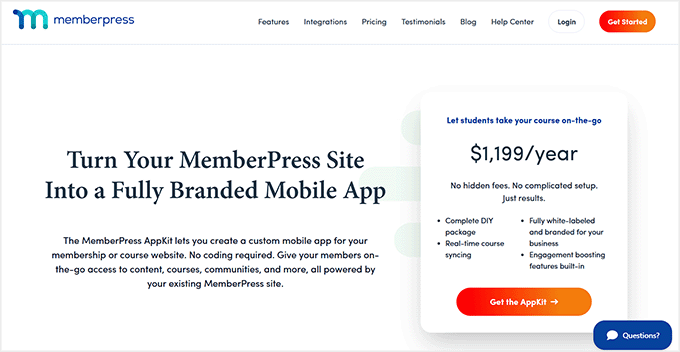
- MemberPress AppKit Subscription – Turns your existing site into a fully branded mobile app, starting at around $1,199/year.
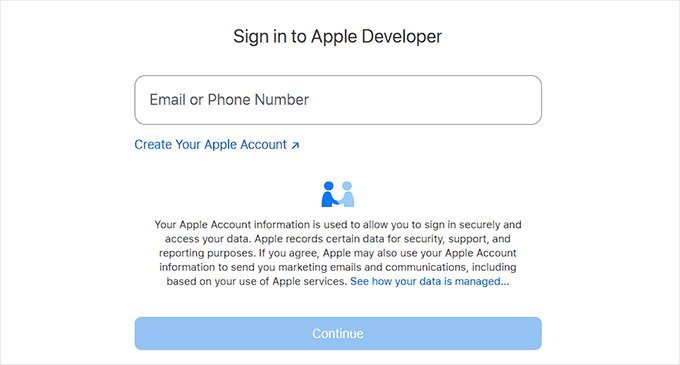
- Apple Developer Account – Needed to publish your iOS app, costs about $99/year.
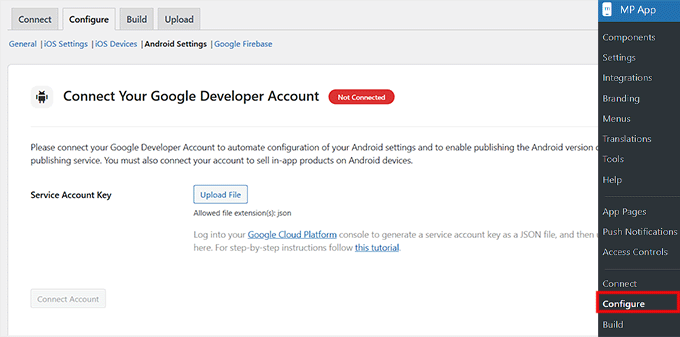
- Google Play Developer Account – Needed to publish your Android app, starting at $25 one-time.
If you haven’t built your membership site yet, I suggest taking a look at our ultimate guide. It covers creating a membership site in WordPress.
If your site is already live with MemberPress, your main new costs will just be the AppKit subscription and developer accounts.
Compared to hiring a developer to build a custom app, this is a much faster and more affordable way to get a professional app.
Step-by-Step: How to Turn Your Membership Site into an App
Now that you clearly understand the costs and requirements for building a membership app, it’s time to dive into the actual setup.
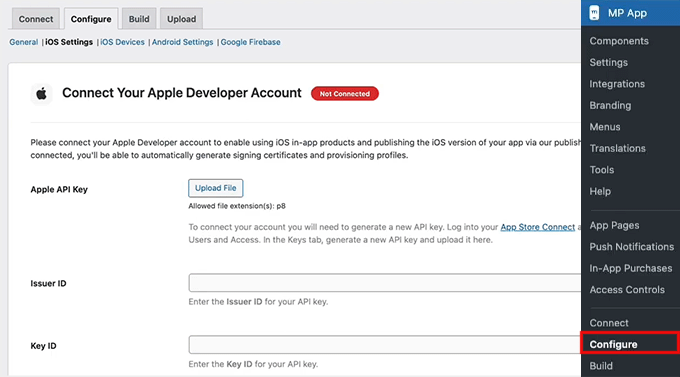
Expert Tip: While the setup is no-code, you still need to generate API keys from your developer accounts. It is a one-time process, but I recommend setting aside an hour to get everything configured correctly.
With MemberPress AppKit, the process itself usually takes around 2–3 hours. This includes connecting your site, customizing your app, and preparing it for launch.
It’s worth noting early on that submitting your app to the Apple App Store and Google Play can take extra time.
Apple’s review process can take a few days, while Google’s is typically faster.
💡 Pro Tip: Since first-time app submissions sometimes require minor tweaks before approval, I highly recommend waiting until your app is officially approved by both stores before announcing a hard launch date to your members.
In the steps below, I’ll guide you through turning your MemberPress membership site into a polished, fully branded mobile app. Your members can access it anytime, anywhere.
Step 1: Install and Activate the MemberPress AppKit Plugin
To get started, you’ll first need to purchase MemberPress AppKit from the MemberPress website. Once you’ve completed your purchase, you’ll be able to download the AppKit plugin.
After that, the next step is to install and activate it on your WordPress site.
This plugin is what connects your membership site to your mobile app. It handles everything behind the scenes, including syncing your content, members, and settings automatically.
If you’re not familiar with the process, you can follow our guide on how to install a WordPress plugin, which walks through every step.
Upon activation, you’ll need to connect it to your website using a license key. You can find your license key by logging into your MemberPress account and opening the AppKit subscription details.

Next, go to MP AppKit » Connect in your WordPress dashboard. Paste your license key into the field and click the ‘Connect’ button.
After a few seconds, you should see a confirmation message letting you know the connection was successful.

From here, you’re ready to start configuring your app and preparing it for the build and publishing process.
Step 2: Configure Your iOS Settings (Apple Developer Account)
Now that your MemberPress AppKit is connected to your site, it’s time to get your iOS settings ready. This helps your app appear on the Apple App Store.
The first thing you’ll need is an Apple Developer account. Setting this up is simpler than it sounds.
You just sign up at Apple’s developer site, fill in some basic personal and contact information, and pay the annual fee. Apple usually takes a day or two to approve your account, so it’s a good idea to get this started early.

Once your Apple Developer account is ready, go to your WordPress dashboard and head over to MP AppKit » Configure » iOS Settings. This is where you’ll connect your Apple account to MemberPress AppKit.
Start by pasting in your Key ID and Issuer ID, then upload the API key you generated in App Store Connect.
📍Security Warning: Treat this API key like a highly sensitive password. Keep it strictly confidential and never share it with unverified third parties to protect your app’s security.
This connection lets MemberPress AppKit handle all the complicated stuff behind the scenes. This includes creating certificates, syncing your app content, and managing in-app subscriptions.

There are a few key pieces of information you’ll need to add here, and each one has a very important role:
- Bundle IDs – These give your app a unique identity on iOS. Think of it as your app’s passport.
- Signing Certificates – These act as your digital signature, proving the app was created by you.
- Provisioning Profiles – These tell Apple which devices can install your app for testing.
- App ID and App-Specific Shared Secret – These make in-app purchases and membership subscriptions work smoothly.

I know this might feel like a lot at first, but I promise it’s mostly copy-paste work once you have your Apple account ready.
We’ve gone through the full process in detail in our tutorial on turning a WordPress site into an app. The steps for MemberPress AppKit are very similar, so you can follow that guide and feel confident you’re doing everything correctly.
Step 3: Configure Android Settings (Google Developer Account)
Once your Apple setup is done, it’s time to connect your Android settings so your app can be published on the Google Play Store. I know this sounds technical, but if you follow along carefully, it’s easier than it looks.
Start by creating a Google Developer Account, which lets you publish apps and manage updates. Then, the next step is to create your app in Google Play Console.
Here, you’ll give your app a name, select a default language, and choose whether it’s free or paid.
For most memberships, I recommend setting it to free, since monetization is usually handled through MemberPress itself.

Next, head over to MP AppKit » Configure » Android Settings. Here, you’ll need to upload the Service Account key you generated in Google Cloud.
📍Security Warning: Just like your Apple API key, this file gives access to your app’s infrastructure. Keep it completely secure and do not share it.
This connects your Google Developer account to MemberPress AppKit so your app can sync content, users, and in-app purchases automatically.

There are a few key items you’ll need to set up at this stage:
- Application ID – Think of this as your app’s unique ID in the Google Play Store. It needs to follow a reverse-domain format. This usually means taking your website domain extension and name, and adding a suffix (for example, if your website is mywebsite.com, your ID could be com.mywebsite.app).
- KeyStore certificate – This is like a digital signature for your app, which ensures Google recognizes you as the owner for future updates. You can generate this directly in MP AppKit.

You can see our guide on turning your site into an app for more setup tips.
Once your Service Account key, Application ID, and KeyStore are all configured, your Android account is fully connected.
Step 4: Configure Firebase to Send Push Notifications With Your App
One of the best ways to keep your members coming back is through push notifications. These little nudges let your community know about new posts, messages, or events.
To make this work on both iOS and Android, you’ll need to integrate your MemberPress AppKit with Google Firebase. This is a free Google tool that handles real-time notifications.
To get started, create a Firebase project, which is basically the foundation for all your push notifications. Head over to the Firebase Console and click the ‘Get started by setting up a Firebase project’ button.

Give it a name that matches your app so you can easily recognize it later.
You’ll also have the option to enable Google Analytics, which can be handy if you want to track app activity, but it’s optional.

Next, you need a Firebase Service Account Key. This key acts like a digital passport, allowing WordPress to securely send push notifications through Firebase.
To get it, go to your project in Firebase, then navigate to Project Settings » Service accounts. Scroll down to the ‘Firebase Admin SDK’ section, click ‘Generate new private key’.
Then, download the JSON file. I know downloading a “JSON file” sounds highly technical, but don’t worry! There is absolutely no coding required.
You are simply downloading this file from Google to upload it into WordPress in the next step. Make sure to store it in a safe place — this file can only be downloaded once.

After that, head back to your WordPress dashboard under MP AppKit » Configure » Google Firebase and upload the file under ‘Firebase Admin Key.’
This step connects Firebase to your MemberPress AppKit.

Next, you’ll register your mobile apps in Firebase. You’ll need to create four apps in total: a main app and a test version for both iOS and Android.
Make sure the Bundle IDs for iOS and Application IDs for Android match exactly what you used in your developer accounts. They also need to match your MemberPress AppKit settings.
For iOS, you’ll also need to upload your APN (Apple Push Notification) authentication key from Apple so push notifications can reach Apple devices.

After registering all apps, download the configuration files. This includes the .plist file for iOS and the .json file for Android, along with their test versions.
Then, go back to WordPress and upload all four files under the Google Firebase settings. Click Save Changes,’ and you’re done.

Your app is now connected to Firebase, and push notifications can start reaching your members on both iOS and Android.
💡 Pro Tip: Double-check that your Bundle IDs and Application IDs match exactly. Any mismatch can cause errors and prevent push notifications from working.
We cover this process in more detail in our guide on how I turned a WordPress site into a mobile app. You can follow it for extra guidance.
Step 5: Set Up Key Features in MemberPress AppKit
Now that your app is connected and Firebase is ready, it’s time to configure the features that make your app really engaging for your members.
From push notifications to sharing and feedback, these settings help keep your community active and returning to your app.
1. Enable Push Notifications
Push notifications are one of the easiest ways to keep members engaged. They pop up in real-time on members’ devices when there’s a new post, message, or membership update.
Turning notifications on helps members remember to return to your app. When members open your app for the first time, their phone will ask for permission to send these alerts.
To enable, go to the MP AppKit » Components page and click the ‘Activate’ link for push notifications.

Next, I suggest configuring the ‘Automated Notification Types.’ These are triggered by specific actions—like a new post or membership update—so you don’t have to send notifications manually.
Head over to MP AppKit » Settings » Push Notifications, select the automatic notifications you want active, and click the ‘Save Changes’ button.

Only enabled notifications will appear in members’ app settings, and they can choose which ones to receive.
2. Enable User Registration
I highly recommend letting new members register directly from your app. It makes onboarding super easy and reduces admin work.
Go to MP AppKit » Settings » General and scroll down to the ‘Registration’ section. Then, check the ‘Allow registering a new account from within the app’ option.

Once you’re done, click the ‘Save Changes’ button to store your settings.
3. Configure Delete Account Settings
It’s important to give members control over their accounts. The Delete Account feature allows them to request account deletion while keeping you compliant with privacy rules.
To add this feature, go to the MP AppKit » Settings » Feedback page and scroll to the ‘Delete Account’ section.
Here, enter the email address where deletion requests should be sent. I suggest also customizing the email subject line so these requests are easy to spot.

If you leave the email blank, the system will use your WordPress Administration Email. Upon making the changes, just click the ‘Save Changes’ button.
4. Enable Report a Bug and Send Us Feedback Features
Getting user feedback is super important. The Report a Bug feature lets members submit issues with screenshots or videos, while Send Us Feedback collects general suggestions.
I recommend enabling both by going to MP AppKit » Settings » Feedback and checking the boxes for ‘Report a Bug’ and ‘Send Us Feedback’ options.

Then, enter the email addresses for submissions, and optionally add default subject lines.
Members can submit directly through the app. Each submission will include device info, app version, and platform details to help you troubleshoot efficiently.

5. Enable Share and Related Posts
Sharing content helps your members become promoters, and showing related posts keeps them reading longer. I usually recommend turning on both.
For this, head over to MP AppKit » Settings » Blog Posts. Under the ‘Bookmarking’ section, check the ‘Enable Sharing’ and ‘Enable Related Posts’ options. Then, click ‘Save Changes.’

Now, in the app, members can tap the share icon to copy the post link. They can also share via apps like WhatsApp, Facebook, or Messages. Related posts will show at the bottom of articles, keeping members engaged.
6. Configure Smart Banner
The Smart Banner is another handy feature. It prompts visitors who land on your website via a mobile browser (like Safari or Chrome on their smartphones). They will be prompted to either download your app or open it if they already have it installed.
Note that this banner won’t appear for users visiting your site on a desktop computer.
This works well for boosting app installs because it targets users who are already engaged with your site. This makes them more likely to try the app.
To enable it, go to the MP AppKit » Settings » Smart Banner page and check the boxes for iOS and/or Android.

After that, simply click the ‘Save Changes’ button to store your settings.
7. Configure Default Restricted Message
Finally, I suggest customizing your Default Restricted Message. This appears when members try to access content they don’t have permission for. A clear message with a call-to-action improves member experience.
Go to MP AppKit » Settings » Access Controls, scroll to ‘Default Restricted Message’ section, and enter a title and explanatory text.
You can also select a button action (like opening a membership page or a custom app page). Plus, you can enable content teasers to give members a preview of restricted content.

Click ‘Save Changes’ when done.
Step 6: Configuring App Branding in MemberPress AppKit
Custom visuals make your app feel professional and on-brand. I recommend taking time to configure logos, splash screens, icons, and colors carefully. These help reinforce your identity and make the app feel polished.
Start by adding your app’s logos and images. Head to the MP AppKit » Branding » Images page from the WordPress dashboard.
This is where you can upload logos for your home screen, login screen, registration screen, and launch screen. I suggest using the same logos and colors as your website so your members instantly recognize your brand.

Next, customize your app colors by switching to the ‘Colors’ tab from the top.
This controls backgrounds, buttons, navigation bars, text, and interactive elements. I recommend picking a color palette that complements your logos and helps with readability.
Set general colors for your backgrounds, accents, borders, and image placeholders. Once you are done, make sure to click ‘Save Changes’ to store your settings.

Typography is important for readability and brand identity. Switch to the ‘Typography’ tab to import Google Fonts or upload your own custom fonts.
Choose fonts that are clear on mobile screens and match your brand style.

Other than that, you can personalize your navigation icons in the Tab Bar and More Screen menus by going to MP AppKit » Menu » Tab Bar. I suggest using simple, branded icons that are easy to recognize.
Upload your icons, crop them so they fit neatly, and repeat the process for the More Screen menu. Then, click the ‘Save Changes’ button.

Finally, decide where your navigation appears by configuring the ‘Tab Bar visibility’ from the left column.
You can choose to show the navigation on all screens, which keeps it always accessible. Or, show it only on main menu screens for a cleaner, distraction-free experience.
You should test both options to see what works best for your app content.

Step 7: Configure the App Homepage
After your app branding is set up, the next thing you should focus on is the app homepage. This is the first screen members see right after logging in. It plays a big role in how easy your app feels to use.
A well-designed homepage helps members find what they need faster, reinforces your branding, and highlights the actions you want them to take.
To get started, go to MP AppKit » App Pages in your WordPress dashboard. This is where you create custom screens for your app. Click the ‘Add New App Page’ button.

Then give your page a simple title like “Home.”
I recommend keeping the name short and clear because you’ll use it later when adding the page to your app’s navigation.
Once the page is created, you can start designing it using familiar Gutenberg blocks. Just click the ‘+’ icon to add blocks.

One of the most useful options here is the ‘Quick Link’ block. It lets you point members to key areas like courses, activity, or important resources.
I suggest adding the links members are most likely to tap right after logging in, so they don’t have to dig through menus.

If your app includes courses, you can add the ‘Courses’ app block to the homepage. This block displays courses in a carousel that feels very natural on mobile.
Members can tap a course to view details or choose “See All” to browse the full list.
You can rename the block title and adjust colors. You can also decide whether to show courses automatically using filters or manually select specific ones.

After your homepage layout is ready, click the ‘Publish’ button to make the page live. You can now repeat the process to create other pages for your app.
Step 8: Build and Test Your Mobile App
Now that everything is set up, this is the point where you actually turn your membership site into a working mobile app.
To get started, head over to the MP AppKit » Build in your WordPress dashboard and click the ‘Request Build’ button.

Next, select your platforms — iOS, Android, or both — and choose ‘Test App’ and ‘Release App’ as your build types.
This will generate four versions: a test and a release build for both iOS and Android.
The Test App version is what you can install on your devices to check functionality. For Android, you can usually install this immediately using a QR code. For iOS devices, you will need to use Apple’s TestFlight app to install your test build.
It’s perfect for checking how your app looks, testing features, and making sure everything works before submission.
The Release App is the one you’ll use to upload to the Apple App Store and Google Play Store. After selecting your platforms and build types, click ‘Next Step’ and review the build summary.

Make sure your site configuration, menus, branding, and customizations are correct.
Once everything looks good, click ‘Send Build Request.’

Your build request will now go to MemberPress’ cloud build system. When the build is complete, the status will change to Completed.
At that point, click the ‘Install Test App’ button to generate a QR code. Scan it with your device to download and install the test version.

🔍 Things to Check in Your Test App (Before Submitting to App Stores)
Upon installing the test version of the app on your phone, here are a few important things I recommend checking.
This will make sure everything is working properly:
- Can you log in and register a new account?
- Do menus, content, and core features load correctly?
- Are push notifications working?
- Does the branding match your settings — logo, colors, and app icon?
- Is navigation smooth with no broken links or missing icons?
Testing now helps you catch issues early, so your app store submission goes smoothly.
Step 9: Submit Your App to the App Stores
Once you’re happy with the test version, the next step is submitting your app to the app stores.
From the Build page, switch to the ‘Release Apps’ tab. Here, you will see the Release App versions of both your iOS and Android apps listed together.
For Android, expand the ‘Submit for Publishing’ dropdown and select the ‘Upload to Google Play Console’ option.
For iOS, expand the ‘Submit for Publishing’ dropdown and choose ‘Upload to App Store Connect.’ This will start the upload process for each platform, sending your app builds directly to the stores.

Before uploading, make sure you’ve prepared everything the app stores require, including your app description, screenshots, and keywords.
These items will appear on your public app listing and play a major role in helping users discover your app through search.
In the Google Play Console, you can enter this information by going to your dashboard, selecting your app, and opening the ‘Store Listing’ section.

For App Store Connect, simply go to ‘My Apps’ and select your app.
Here, you can upload your screenshots, add your app description, and include relevant keywords to improve visibility in the App Store search results.

After submission, your app will go through a review process. This usually takes a few days, but it can vary. If your app isn’t approved on the first try, don’t worry — Apple and Google provide feedback so you can fix issues and resubmit.
Once approved, your app will be live for users to download.
💡 Bonus Tip: Keep Your App Updated
Publishing your app isn’t a one-time process. Minor updates, like adding new posts, courses, or content, will automatically sync to your MemberPress AppKit app.
However, bigger changes — such as enabling new MemberPress features, updating APIs, or changing your app branding — require generating a new build. You must then resubmit it to the app stores.
I recommend doing this regularly to keep your app stable. This also makes sure everything works smoothly and your users always have the best experience.
Frequently Asked Questions About Creating an App for a Membership Site
Have questions about turning your MemberPress site into a mobile app? You’re not alone.
Below, I’ve answered the most common questions to help you get your iOS and Android apps up and running quickly and smoothly.
Do I need to know how to code to create an app for a membership site?
No, you don’t need any coding skills. MemberPress AppKit handles the app creation for iOS and Android automatically using your WordPress site settings.
Will members need new accounts for their membership app?
No, your existing members can use the same accounts they already have on your WordPress membership site.
Can I use Stripe or PayPal in my app?
While MemberPress easily uses Stripe and PayPal on your website, mobile apps have different rules.
If you are selling digital goods (like memberships or online courses) inside the app, Apple and Google strictly require you to use their native In-App Purchase (IAP) systems. This is to comply with their guidelines.
Keep in mind that both platforms take a percentage cut (usually 15% to 30%) of these in-app sales.
What if the app for my membership site gets rejected?
App store rejections are common and usually easy to fix. Most issues happen because of metadata, screenshots, or minor policy requirements. You can fix these quickly and resubmit for approval.
Will content update automatically in my app?
Yes, updates like new posts, courses, or membership content will sync automatically with your app without needing a new build.
Can I send push notifications for free?
Yes, by using Google Firebase, you can send unlimited push notifications to your app users at no extra cost. This is one of the best ways to improve engagement without increasing your monthly budget.
By following these steps, you’ve turned your membership site into a professional mobile app that lives right on your members’ home screens. This not only makes your content more accessible but also helps build a more engaged community.
To grow your site even further, you should check out our tutorial on how much it costs to start a membership site. Also see our top picks for the best WordPress membership plugins.
If you liked this article, then please subscribe to our YouTube Channel for WordPress video tutorials. You can also find us on Twitter and Facebook.
The post How to Turn Your Membership Site into an App (The Easy Way) first appeared on WPBeginner.
HeroPress: I Don’t Have It All Figured Out. I Show Up Anyway.

My background is in Quality Assurance: testing features, observing behaviour, and making sure things work as expected. For a long time, I believed open source contribution mostly meant writing code. Since I wasn’t a developer, I saw myself more as someone learning from the community than contributing to it.
Finding My Place
I grew up in Akola, a small town a few hours from Nagpur. Our school computer lab had one computer for every ten or twelve students. I was shy, so I rarely got a turn at the keyboard. Most of the time I watched from a few rows back, trying to understand what the others were doing.
I went on to complete a diploma and then a degree in Computer Science. Fast forward to today: I started a role at rtCamp, a company where contributing to open source is part of the culture rather than something people do in their spare time. Even then, I was too reluctant to ask whether there was a place for a QA engineer in the WordPress contributor community.
Then, at a Contributor Day, I watched a few people test a feature, open tickets, report bugs, and translate strings. They weren’t writing code, but they were clearly contributing. I remember thinking: this is exactly what I do. I eventually understood that testing is an important part of building better software, and that there is space for many different kinds of contributors.
While browsing WordPress Slack one day, I came across the WordPress Contributor Mentorship Program. It felt like the opportunity I had been waiting for. Without consulting anyone or giving myself time to second-guess it, I signed up. The program did what the best communities do. It didn’t focus on teaching me how to code. Instead, it showed me how to collaborate: how to work with a team, support each other, communicate clearly, and encourage one another. It helped me understand why the WordPress community feels so welcoming to so many people.
One Step at a Time
From there, I started contributing to the Polyglots team, then Core, Test, and Photos.
Being part of these teams helped me understand open source in a new way. I started to see how many different kinds of work go into building and supporting a project. Not just writing code, but testing, translating, documenting, and helping each other. Every contribution, no matter how small, helps move things forward.
I became a contributor on consecutive releases: WordPress 6.7 “Rollins,” WordPress 6.8 “Cecil,” and WordPress 6.9 “Gene.” I still feel the butterflies, and a lot of pride, every time I’m listed as a contributor in a release post. The community had quietly been helping me overcome my fears, and I no longer felt the jitters about coming forward and putting my name in for different roles.
A recent example: there was an upcoming Contributor Day at WordCamp Asia, and I signed up to volunteer at a table. I didn’t apply to lead or co-lead. That felt like too much. Volunteering was enough. Then I got a call from the organisers asking if I would be open to co-leading the table.
For once, I said yes.
I am still a month away from WordCamp Asia 2026 as I write this. I am thrilled and nervous in roughly equal measure. The person who used to watch from the back of the school computer lab is going to stand and address a room full of people.
I don’t know yet how it will go. But I said yes, and that feels like something.
For Anyone Watching from the Sidelines
It wasn’t always easy. I completed my primary schooling in the regional language, and things as basic as speaking and writing fluent English required a lot of effort. On many occasions, I doubted myself.
I feel very fortunate to have been welcomed into this community with open arms. From the very beginning I felt at home, and I have never been made to feel like I don’t know enough. I am still learning every day, finding my path and trying to make an impact.
There are many accomplished contributors and talented women in this community, juggling multiple responsibilities, quietly taking on leadership roles, contributing consistently without making a fuss about it. None of them waited to feel ready. They started anyway, and the community met them where they were. I am sure that by simply continuing to show up, I will learn a great deal from them and keep finding my voice along the way.
If you’re someone who is on the fence about starting a contributor journey in the WordPress community, know this: there is no hierarchy here. Everyone is welcome and equally valued. The work you already know how to do is needed. You don’t have to learn to code, unless you want to. You don’t have to wait until you feel ready. You just have to show up.
It’s okay if you’re not ready to lead yet. It’s okay if you’re still watching from the sidelines. Start where you are. Your yes will come.
My name is Indira Biswas. I am a QA Engineer at rtCamp. I have contributed to WordPress Core, the Test Team, Polyglots, and Photos. I have spoken at WordCamps, and in a few weeks I will stand on the WordCamp Asia stage as emcee and co-lead the Core table at Contributor Day.
I am grateful beyond what I know how to say, to the community that kept the door open, to people like Michelle Frechette, Amit Kumar, and Pavan Patil who were encouraging from the very beginning, and to the Mentorship Programme.
The WordPress community gave me a place to put my work and a reason to keep doing it. I hope to keep giving that back for a long time.
If you are coming to WordCamp Asia in Mumbai this year, please come say hi. I would love to meet you, hear your story, and yes, probably add a few more photos to my selfie collection.


Indira’s Work Environment
We asked Indira for a view into her contribution life and this is what she sent! Make sure you click on the hot spots.
HeroPress would like to thank Draw Attention for their donation of the plugin to make this interactive image!
The post I Don’t Have It All Figured Out. I Show Up Anyway. appeared first on HeroPress.
Open Channels FM: Connecting Decentralized Social Networks and Rethinking Interoperability
In this chat, Matthias and Ryan dive into Ryan’s journey building tools like Bridgy to connect decentralized networks, emphasizing the importance of interoperability and community in the open web.
How to Find and Delete Duplicate Images in WordPress Automatically
Every time you upload a photo, WordPress creates five or ten different hidden size variations to fit your theme. These extra files consume your storage and slow your site backups.
Plus, most of these extra image sizes are never used on your site. They sit on your server like digital clutter and can even increase your monthly hosting costs.
I’ve found that using an automated image deletion tool is the best way to safely reclaim that space. This helps reduce your backup size significantly and keeps you within your hosting plan limits.
In this article, I will show you how to automatically scan for unused image sizes and safely bulk-delete them to keep your website lean and your backups running smoothly.

Quick Summary: WordPress creates multiple copies of every image you upload, which can quickly fill up your server storage and slow down backups. This guide shows you how to use the WP Media Cleanup plugin to safely scan for and delete these unused image variations without breaking your website.
Here are the topics I’ll cover in this tutorial:
- Why Delete Unused Image Duplicates in WordPress?
- Step 1: Install and Scan for Unused Images
- Step 2: Review and Delete Unused Variations
- Step 3: Restoring Deleted Images (If Needed)
- Advanced Method: Automating Media Cleanup with WP-CLI
- Bonus Tip for Optimizing Your Remaining Media Files
- Frequently Asked Questions About Image Optimization in WordPress
- Additional Resources for Keeping Your Site Optimized
Why Delete Unused Image Duplicates in WordPress?
Every time you upload a photo, WordPress creates five or ten different variations to fit your theme. It does this to make sure your images look crisp on mobile phones and fit perfectly into blog post thumbnail grids without slowing down the page.
However, this is also why your media library can quickly become cluttered and take up so much server space.
For example, if you upload a 2 MB original file, WordPress creates 5 variations at 500 KB each. This means a single upload is taking up 4.5 MB of total storage.
While these extra image sizes help your site look good on mobile phones, your theme might only use a few of them. The rest just sit on your server and take up valuable space.

Plus, many budget hosting providers have strict limits on how many files you can store. Deleting thousands of unused image variations helps you stay under these limits and avoids extra fees.
Cleaning up these unused variations is a great way to improve your website:
- Make your website backups much smaller and finish faster.
- Reduce your storage use, which can lower your hosting bill.
- Make it much faster to move your website to a new host or server.
- Keeps your site running smoothly by staying under your host’s file limits.
- Removes the confusion caused by multiple versions of the same file.
Step 1: Install and Scan for Unused Images
To follow this tutorial, you will need the WP Media Cleanup plugin. It is the best tool for safely reclaiming server space. It identifies and allows the removal of unused image variations while fully protecting your original source files.
I’ve also found that some users worry about accidentally deleting their site logo. The good news is that WP Media Cleanup is smart enough to see if an image is being used in your widgets or theme customizer settings. This prevents it from deleting important images like your site logo.
This means it only targets the hidden thumbnails that nobody is looking at. It protects your important files while clearing out the extra files you don’t need.
Before You Begin: I highly recommend making a complete backup of your site before doing any bulk deletion. While WP Media Cleanup is a highly reliable tool, a full backup is a smart best practice.
As a built-in safety net, the plugin temporarily saves your deleted variations for 30 days (which I will show you how to restore in Step 3). However, a full backup is still essential if you use a customized theme.
The first thing you need to do is install and activate the WP Media Cleanup plugin. If you need help, you can see our guide on how to install a WordPress plugin.
Once the plugin is active, head over to the Media Cleanup page from your WordPress admin sidebar.
Here, you will need to enter your license key and then click the ‘Activate License’ button. You can find this in your account area on the WP Media Cleanup website.

Before you run your first scan, it is a good idea to clear your WordPress cache. This makes sure the plugin sees the most recent version of your content and doesn’t miss any images that are live on your site.
Then, start by navigating to the Media Cleanup » Cleanup page and clicking the ‘Scan for Unused Variations’ button. The plugin will look through your entire media library to find images that are not being used on your posts or pages.

Wait for the progress bar to finish its work. Depending on how many photos you have uploaded over the years, this might take a few minutes to complete.
Once the scan is complete, the plugin will display a list of all the images that have unused variations. For each item, you will see a small image preview, the file name, and the total number of unused variations. You will also see how much space they take up.
If you want to see exactly which sizes are targeted (like ‘medium’, ‘large’, or ‘1536×1536’), you can simply click the ‘Show Details’ dropdown.

Step 2: Review and Delete Unused Variations
When you are ready to clean up your server, you have a few flexible options:
- Delete All: Click this button at the top to remove every unused variation found in the scan and get the biggest boost in server space.
- Delete Selected Variations: Use the checkboxes to select specific images, then click this button to only clean up those specific files.
- Individual Delete: Click the ‘Delete’ button next to a single image to remove variations just for that file.

Don’t worry about your original photos during this step. WP Media Cleanup only targets the size variations (like ‘-150×150.jpg’) and keeps your source files safe and untouched.
Whenever you choose to delete files, a confirmation dialog will appear. You must confirm the action before proceeding, making sure you have full control over your media library.
Step 3: Restoring Deleted Images (If Needed)
Even though the cleanup process is highly accurate, the plugin includes a built-in safety net.
Whenever you delete variations, the deleted files are automatically backed up by the plugin for 30 days before permanent removal. If you browse your website after a cleanup and notice a broken layout, you don’t need to panic.

Because the list of deleted files can be very long, finding the exact image you need to restore might seem tricky. Luckily, there is an easy trick to find it.
First, simply right-click on the broken image icon on your live website and select ‘Copy Image Address’ (or ‘Copy image link’, depending on your browser).

Next, paste that link somewhere you can read it, like a blank note or document.
You don’t need the full web address. You just need to copy the very last part of the link, which is the file name (for example, my-header-image-150x150.jpg).
Then, head over to the plugin’s Restore page and paste that file name into the search box. This will instantly filter the long list so you can find the exact variation that went missing.
Once you find the file, simply select it and click the ‘Restore’ button. This allows you to confidently clean your media library and reduce disk usage without any permanent risk.

Pro Tip: The plugin permanently deletes these backups after 30 days. So, I highly recommend browsing your most important pages and posts soon after your cleanup to double-check that everything looks perfect.
If you change your WordPress theme later on, your new theme might require different image dimensions. If that happens, simply use a Regenerate Thumbnails plugin to automatically create the specific sizes your new theme needs.
Advanced Method: Automating Media Cleanup with WP-CLI
If you are a developer or manage many client sites, you might find it frustrating to click through the dashboard for every site.
WP Media Cleanup includes full WP-CLI support, which allows you to automate the scanning and deletion process across multiple websites quickly.
If your WordPress hosting provider gives you SSH access, you can use the command line to scan your library and delete unused variations without opening a browser. You can usually find your SSH details inside your hosting cPanel or account dashboard.
Expert Tip: Most budget shared hosting plans do not include SSH or WP-CLI access. If you can’t find these settings in your hosting dashboard, you will likely need to upgrade to a VPS or a managed WordPress host.
First, you should run a scan to see which files are safe to remove:
# Find and review unused variations
wp media-cleanup find_unused --format=table
In my experience, using the --format=table flag is the best way to see a clear list of filenames and sizes.
Once you have reviewed the list, you can delete the variations with a single command.
# Delete them with confirmation
wp media-cleanup delete_unused --yes
I recommend running the stats command after your cleanup.
This shows you exactly how much disk space you saved across your entire server, which is a great report to show your clients.
# Check storage statistics
wp media-cleanup stats
Using the command line is the fastest way to keep a large network of sites lean and fast. It takes the guesswork out of maintenance. This makes sure your server stays clutter-free with just a few keystrokes.
Bonus Tip for Optimizing Your Remaining Media Files
Once you have deleted the extra image sizes, you should optimize the original photos that are still on your site. Many high-quality images are much larger than they need to be for a fast site.
By doing the cleanup step first, you are saving server resources and plugin credits, because you are only compressing the files you plan to keep.
I recommend using an image compression plugin to shrink your file sizes without losing quality. This makes sure your pages load quickly for your visitors. It also keeps your server storage low.
Frequently Asked Questions About Image Optimization in WordPress
I get many questions from our readers about how to keep their WordPress media libraries clean. Here are the answers to the most common questions.
Is it safe to delete unused media files in WordPress?
Yes, it is highly safe when using a dedicated tool. The WP Media Cleanup plugin is designed to protect your original photos. It only targets the hidden, auto-generated size variations. Just keep in mind that it will not delete photos you uploaded twice by mistake.
As a built-in safety net, the plugin temporarily saves your deleted variations for 30 days, so you can easily restore them if a layout looks broken.
However, I always recommend making a complete backup of your site before you start. This makes sure you can quickly restore your site. This is important if your theme uses custom-coded images that the scanner couldn’t read.
How does WordPress create so many extra image files?
When you upload an image, WordPress automatically creates several variations in different sizes, like thumbnail, medium, and large. Your WordPress theme and certain plugins can also create their own specific image sizes.
This adds to the total number of files stored on your server for every single upload. Over time, these extra sizes can take up more space than the original photos themselves.
How often should I clean my WordPress media library?
The frequency depends on how often you add new posts and images to your site. For a busy blog or online store, I recommend performing a cleanup every 3 to 6 months.
For smaller websites, an annual cleanup is usually enough to keep things organized. Regular maintenance makes sure your backups stay small and your hosting costs stay low.
Additional Resources for Keeping Your Site Optimized
I hope this article helped you learn how to find and delete unused image variations in WordPress automatically.
Now that you have cleaned up your media library, you might want to learn more about managing your images:
- How to Optimize Images for Web Performance
- Best WordPress Image Compression Plugins Compared
- The Ultimate Guide to Boost WordPress Speed
- Best WordPress Backup Plugins Compared
If you liked this article, then please subscribe to our YouTube Channel for WordPress video tutorials. You can also find us on Twitter and Facebook.
The post How to Find and Delete Duplicate Images in WordPress Automatically first appeared on WPBeginner.
Matt: Song Creation
I’m in New Orleans for the first time in 7 years for a beautiful wedding. My Mom’s side of the family emigrated here in the 1860s, and there’s a deep comfort in the art, traditions, and weirdness of Creole culture. Good music and food are ubiquitous.
I met up with WordPresser Blake Bertuccelli-Booth to catch a set by Jason Marsalis at Snug Harbor, featuring some great originals and surprising arrangements of Maroon 5’s “This Love” and the music from the Bejeweled Butterflies game. Great artists find inspiration everywhere.
Afterward, we went to see my friend Troy, aka Trombone Shorty, at his studio. (Troy and I met when we both received the Heinz Award in 2016.) He was with Silkk the Shocker and Reggie Nicholas Jr., working on beats and songs. Though I was there for just a short while, it was inspiring to see the act of musical creation.
A few days ago, Ed Sheeran went on the new Benny Blanco / Lil Dicky / Kristin Podcast Friends Keep Secrets. I haven’t watched the entire episode, but the twenty minutes from about 1:09 to the end where Ed and Benny come up with a new song I’ve seen 4 times now, it’s magical. Check it out, it’s one of the coolest things you’ll see this week.
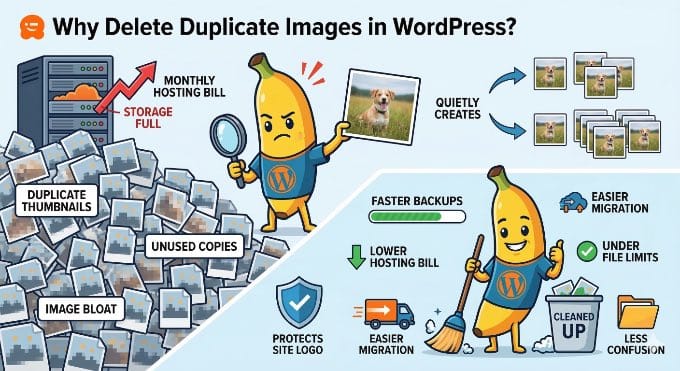
I’ve seen Ed Sheeran loop his songs live, but this act of creation is very special, and I love the dynamic between him and Benny. It reminds me of that magical moment in Peter Jackson’s Get Back documentary where you see Paul McCartney and the band come up with the idea for the classic song Get Back.